Behavioral health providers often know that a staff member is active, credentialed, and employed, but that does not always mean the person can be scheduled for every shift, site, or assignment. Temporary duty limits, accommodation-related restrictions, orientation rules, supervision requirements, return-to-work conditions, and safety-based scheduling limits can all affect where and when an employee should work. When those details are tracked informally, frontline scheduling decisions can drift away from what HR has actually documented.
Shift restriction tracking software gives behavioral health organizations a more reliable way to connect employee scheduling limits with the HR record. Instead of relying on side notes, inbox reminders, or verbal handoffs, HR and operations teams can keep work restrictions visible, current, and easier to review before a staffing decision creates avoidable risk.
Key Takeaways
What Is Shift Restriction Tracking Software?
Shift restriction tracking software is a structured way to record and monitor limits that affect when, where, or under what conditions an employee may be scheduled. In behavioral health, those limits can come from several sources. An employee may have a temporary restriction after a leave, an accommodation that affects overnight coverage, a phased return-to-work plan, a supervision condition tied to specific hours, or a training gap that limits assignment until onboarding is complete.
The purpose of the software is not to replace HR judgment or supervisor communication. It is to make sure the organization has a dependable record of what restrictions exist, when they begin and end, what documentation supports them, and who should review them before staffing decisions are finalized. That matters in behavioral health settings where schedules move quickly and one overlooked restriction can affect care coverage, employee safety, and compliance at the same time.
Why Shift Restrictions Matter in Behavioral Health
Behavioral health providers manage complex staffing environments. Programs may run across outpatient clinics, residential settings, community-based teams, crisis response schedules, school partnerships, and multi-site operations. A staff member who is fully appropriate for one shift pattern may not be appropriate for another. Another employee may be cleared to work, but only with limits related to travel, lifting, overnight coverage, supervisor presence, or site type.
When those details are buried in email threads or remembered only by one manager, the organization creates several risks. Schedulers may place employees into assignments that conflict with documented restrictions. Supervisors may assume HR already cleared a change. HR may think a temporary condition has expired when it is still active. During internal reviews, leaders may struggle to prove how restrictions were communicated and applied consistently.
For Maryland, DC, and regional behavioral health providers, the issue is especially important when teams work across locations with different operational demands. A clear tracking process helps organizations keep restrictions visible so staffing decisions are based on documented readiness rather than assumptions.
Common Situations That Create Scheduling Restrictions
Each of these scenarios can be manageable when documented well. They become disruptive when the organization lacks one place to track the rule, supporting documents, effective dates, and owner for follow-up.
What to Look for in Shift Restriction Tracking Software
Clear Restriction Details
The system should let HR record what the restriction is in practical terms, not just as a vague note. Leaders need to know whether the limitation affects shift length, site assignment, overnight work, travel, physical tasks, supervisor coverage, or another scheduling factor.
Effective Dates and Review Dates
Many restrictions are temporary. The software should make it easy to track start dates, review dates, and expected end dates so restrictions do not stay active forever or disappear too early.
Connection to Supporting Documentation
Restrictions should stay tied to the employee record and linked to the documents that support them. That may include accommodation paperwork, return-to-work notes, incident follow-up, supervisor approvals, or internal review records. Connected documentation helps HR explain why a scheduling limit exists and whether it is still current.
Visibility for the Right People
Not everyone needs full document access, but the right decision-makers do need clear signals. HR, supervisors, and operations leaders should be able to see whether an employee has an active scheduling limitation without relying on private side conversations.
Workflow Ownership
Good software should make it obvious who owns the next step. Some restrictions require a future review, others require supervisor acknowledgment, and others require updated documentation before the employee can resume normal scheduling. Ownership reduces the risk that a restriction sits unresolved because everyone assumed someone else was handling it.
Reporting Across Sites and Teams
Behavioral health organizations need reporting that surfaces active restrictions by location, supervisor, role, or date range. That helps HR and operations prepare for staffing pressure points before a coverage problem becomes urgent.
Best Practices for a Stronger Restriction Workflow
Start by using consistent categories for restrictions instead of free-form notes alone. If one manager writes "limited hours," another writes "no nights," and a third writes "temporary accommodation," schedulers may interpret those phrases differently. Standard categories create cleaner reporting and fewer misunderstandings.
Next, separate the existence of a restriction from the documents that explain it. The staffing team may only need to know that a night-shift limit is active through a certain date, while HR needs deeper access to the supporting documentation. A structured system can support both privacy and operational clarity at the same time.
It also helps to review restrictions during key workforce events. Transfers, supervisor changes, role changes, leave returns, and program reassignments are all moments when an existing scheduling limit can be missed. Building that review into the process is usually more reliable than hoping the right person remembers to ask.
Finally, use restriction tracking as a prevention tool instead of a cleanup tool. The strongest workflows help the organization spot active limits before the schedule is published, not after an employee has already been assigned to a shift that creates safety, employee relations, or compliance concerns.
How BUAMS HR Helps
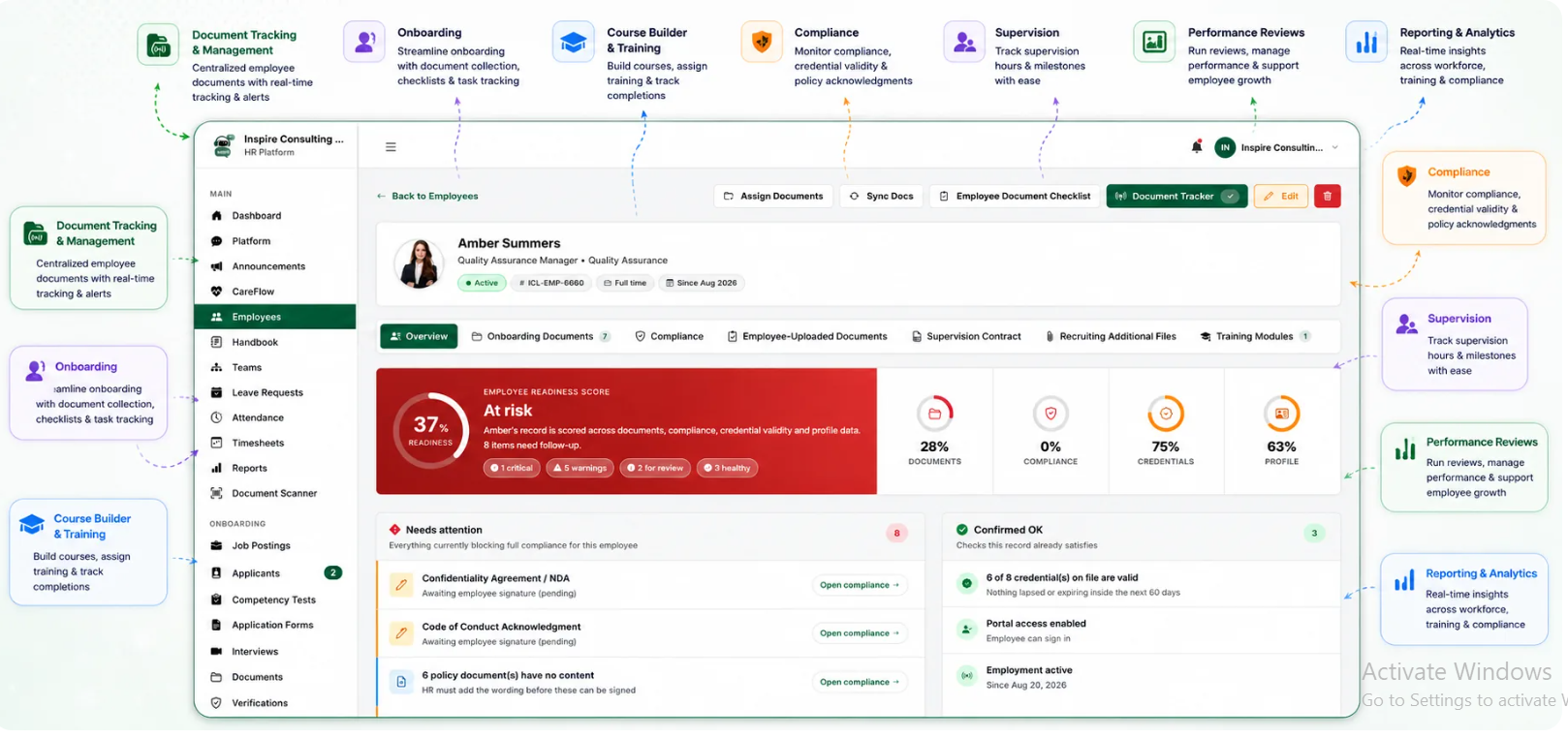
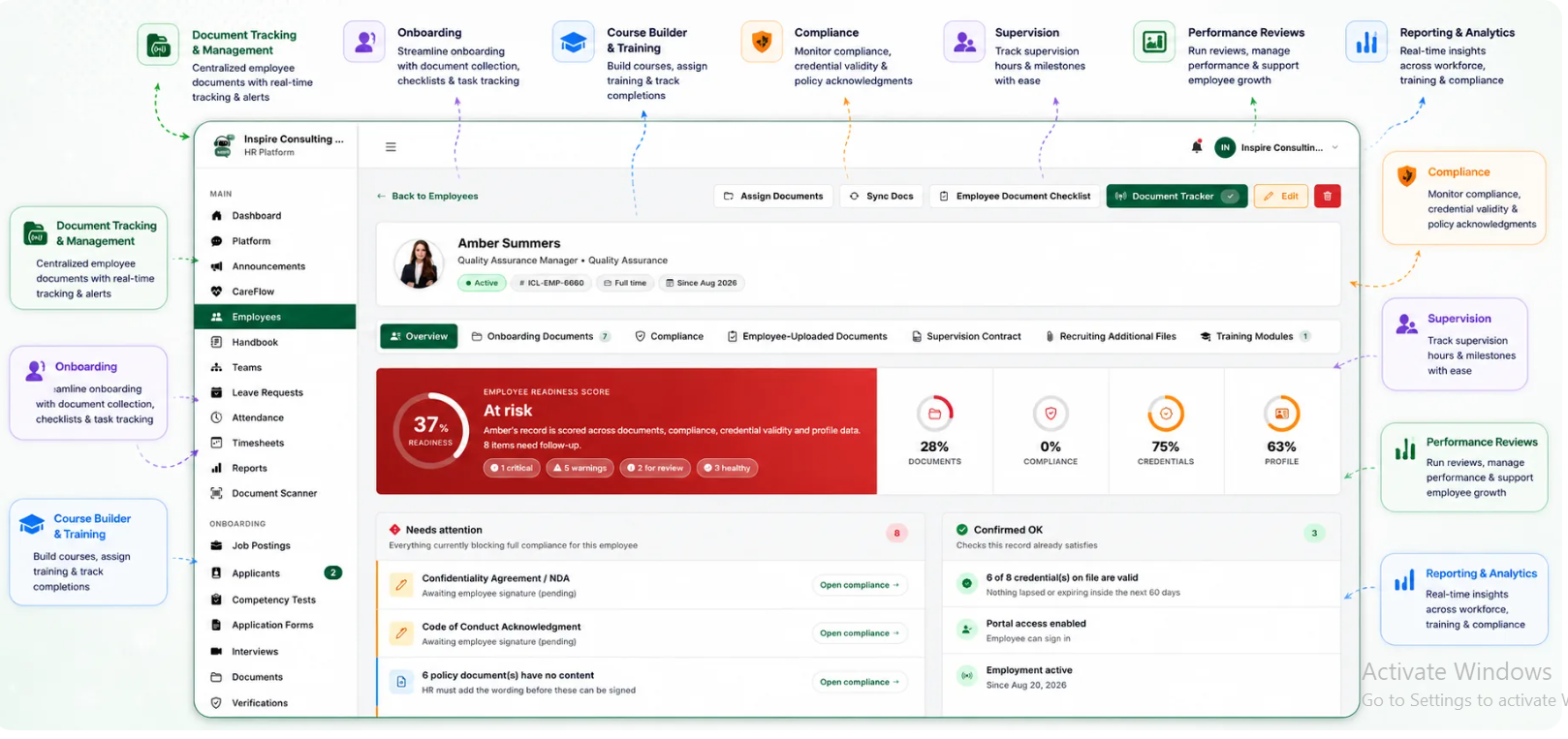
BUAMS HR helps behavioral health providers keep employee records, workforce documentation, and compliance-sensitive HR details organized in one system. That structure gives organizations a stronger foundation for tracking the information that often shapes scheduling decisions, including role readiness, supporting documents, supervisor relationships, and temporary workforce conditions.
For growing and multi-site providers, centralized visibility matters. HR teams can maintain a cleaner source of truth, reduce manual back-and-forth with program leaders, and support more consistent scheduling oversight when employee restrictions or temporary limits are in play.
By keeping workforce records better organized and easier to review, BUAMS HR helps providers manage scheduling limits with more consistency, clearer documentation, and less operational guesswork.
Final Thoughts
Shift restriction tracking software gives behavioral health providers a more dependable way to keep scheduling limits visible before they turn into staffing mistakes or documentation gaps. When temporary restrictions, accommodation-related limits, safety rules, and return-to-work conditions are easier to review, organizations can make faster decisions with less avoidable risk.
For providers that want stronger workforce oversight and better alignment between HR records and day-to-day scheduling, BUAMS HR offers a practical foundation for keeping employee restrictions organized, visible, and easier to manage.