Behavioral health organizations rarely struggle because they do not care about compliance. They struggle because renewal dates live in too many places at once. Licenses may be tracked in one spreadsheet, annual training in another, immunization records in employee files, and policy attestations in email folders. By the time a supervisor notices something is expiring, HR is already chasing documents, adjusting schedules, or explaining gaps during an audit.
That is why workforce document expiration software matters. For behavioral health providers, the goal is not just to store files. The goal is to know which documents are expiring, who is affected, what action is needed, and how to resolve the issue before it interrupts care delivery or creates compliance risk.
Key Takeaways
What Is Workforce Document Expiration Software?
Workforce document expiration software is a system for monitoring employee-related records that have renewal dates, review deadlines, or time-based validity periods. In behavioral health settings, that can include professional licenses, certifications, supervision documentation, training completions, background check refreshes, health clearances, annual acknowledgments, and other HR records that cannot simply be uploaded once and forgotten.
The software should connect each requirement to the right employee, role, location, or program. Instead of relying on memory or calendar reminders, HR teams can see which items are current, which are approaching expiration, and which already need intervention. That visibility matters when staffing decisions depend on active credentials and complete workforce records.
Why Expiration Tracking Matters in Behavioral Health
Behavioral health providers operate in a compliance-heavy environment. Teams often support multiple programs, multiple sites, and a mix of licensed clinicians, direct care staff, supervisors, interns, and contractors. Each group may have different requirements, renewal windows, and documentation standards. When those deadlines are managed manually, the risk is not only administrative burden. The risk is operational disruption.
An expired license can delay scheduling or require immediate reassignment. A missing annual training certificate can create problems during an audit. An outdated health document can trigger last-minute follow-up before a staff member can continue working in a specific setting. Even when the missing item seems minor, the pattern tells regulators and accreditors that the organization lacks reliable workforce controls.
Strong expiration tracking gives HR and compliance teams earlier warning. It also helps managers act sooner, because they can see that a requirement is coming due while there is still time to collect proof, schedule training, or coordinate renewals without panic.
Common Documents That Need Expiration Oversight
Every provider has its own documentation mix, but most behavioral health HR teams need visibility across several recurring categories.
The real challenge is not listing these categories. It is maintaining one source of truth when each category has its own owner, due date logic, and file storage habit. Without a centralized workflow, staff members may appear compliant in one system while their actual supporting document is expired or missing somewhere else.
What to Look For in Workforce Document Expiration Software
Role-Based Requirement Mapping
Behavioral health organizations should be able to assign document requirements by job title, license type, program, location, or employment status. That keeps HR from rebuilding checklists manually every time a new employee is hired or transferred.
Automated Reminder Windows
Good systems do more than flag a document on the day it expires. They create reminder windows far enough in advance for real action. HR may need one reminder at 90 days, another at 30 days, and an escalation if the document is still missing close to the deadline.
Clear Ownership and Follow-Up Status
A useful dashboard should show whether the next step belongs to the employee, supervisor, credentialing team, or HR. If responsibility is unclear, reminders become noise and expired records linger longer than they should.
Centralized File Storage With Version History
Teams need the current file, prior versions when relevant, and a reliable audit trail showing when the record was uploaded, reviewed, or replaced. That becomes especially important when agencies need to prove that documentation was active during a specific time period.
Filterable Views for Managers and Compliance Leads
Executives may want summary risk by site, while supervisors may only need their own staff list. The right software makes that visibility easy without exposing sensitive records to the wrong audience.
Best Practices for Reducing Renewal Risk
Software works best when paired with simple process discipline. Start by defining which document types truly require expiration tracking and what counts as acceptable proof for each one. Then standardize who reviews uploads, how exceptions are documented, and what happens when a due date is missed.
It also helps to separate informational reminders from action-triggering alerts. If every approaching due date looks equally urgent, managers may ignore the dashboard. A better approach is to distinguish between items that are upcoming, items that are overdue, and items that place scheduling or compliance at immediate risk.
Finally, use expiration data to improve planning. If several supervisors routinely scramble to renew the same type of documentation, the issue may not be employee behavior. It may be that the organization needs earlier reminder timing, better onboarding education, or cleaner role-based assignment rules.
How BUAMS HR Helps Behavioral Health Providers Stay Ahead
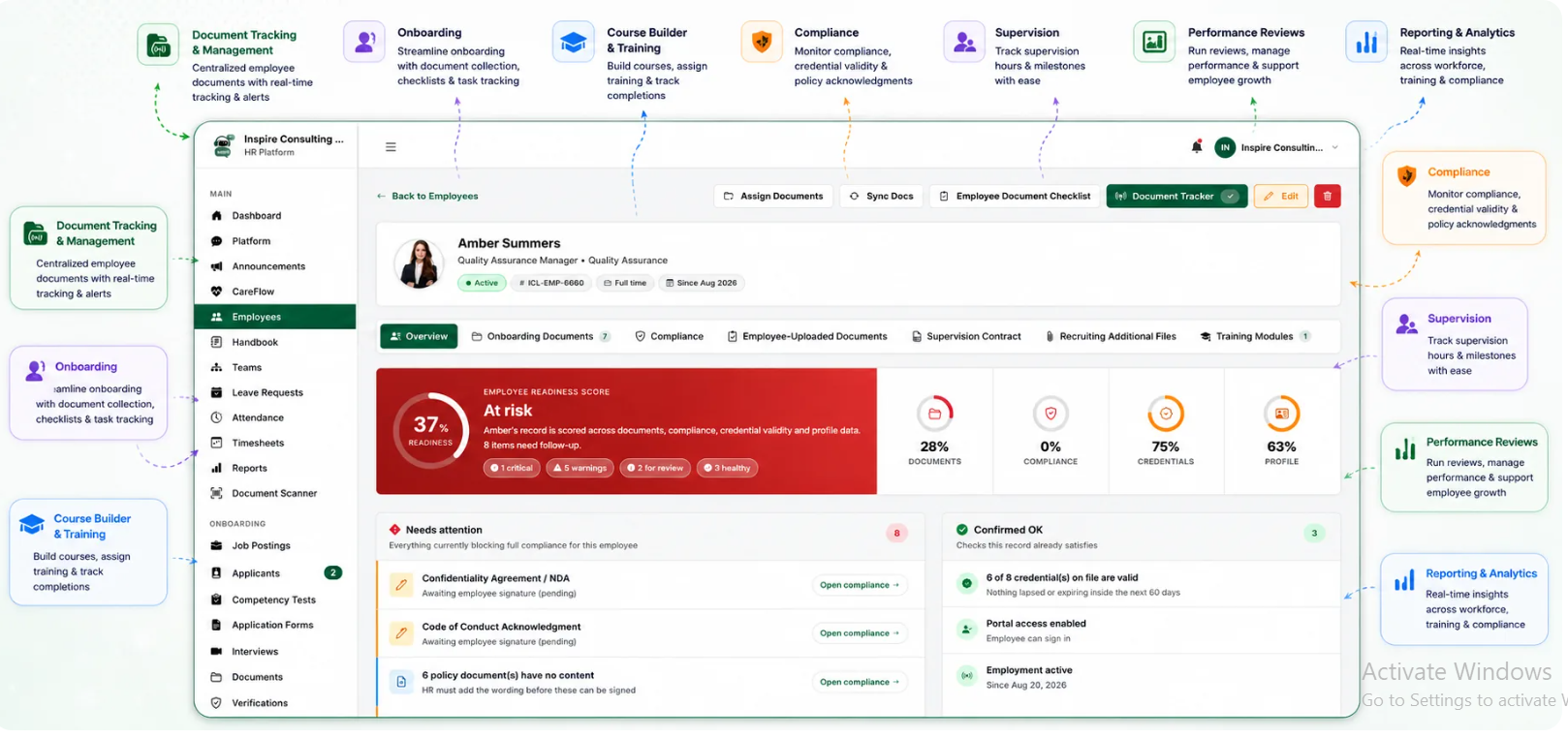
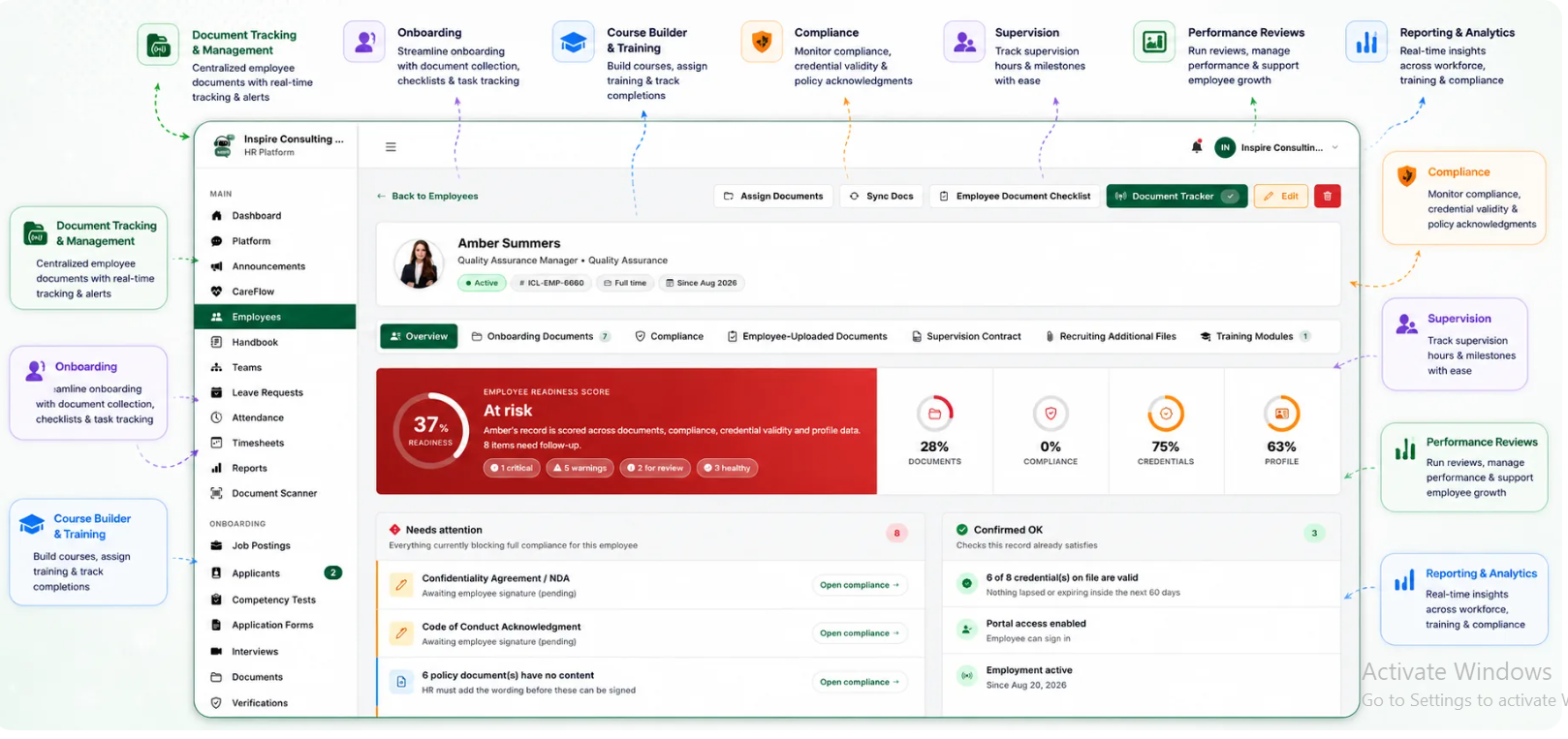
BUAMS HR gives behavioral health organizations a more practical way to manage expiring workforce documents without juggling disconnected spreadsheets and folders. HR teams can keep employee records centralized, tie requirements to the right staff members, and monitor which items are due soon or already overdue.
Because BUAMS HR is built for workforce operations in behavioral health, it supports the broader workflow around the document, not just the file itself. That means organizations can connect onboarding, employee records, compliance tracking, and readiness oversight in one system. Instead of reacting to the next missing item, HR leaders gain a clearer picture of renewal risk across programs and sites.
For agencies preparing for audits, accreditations, or internal reviews, that visibility is especially valuable. Teams can respond faster to document requests, confirm that staff files are complete, and reduce the last-minute scramble that often happens when expiration data is scattered across the organization.
Final Thoughts
Workforce document expiration software is not just a filing upgrade. For behavioral health providers, it is a way to protect staffing continuity, reduce avoidable compliance gaps, and make HR follow-up more manageable every week. When renewal tracking is structured, visible, and tied to real ownership, organizations spend less time chasing paperwork and more time supporting a workforce that is ready to deliver care.
For providers that want a cleaner system for expiring licenses, training proof, acknowledgments, and employee file requirements, BUAMS HR offers a centralized approach designed for the realities of behavioral health operations.